Can Quizzr AI generate questions from any website?
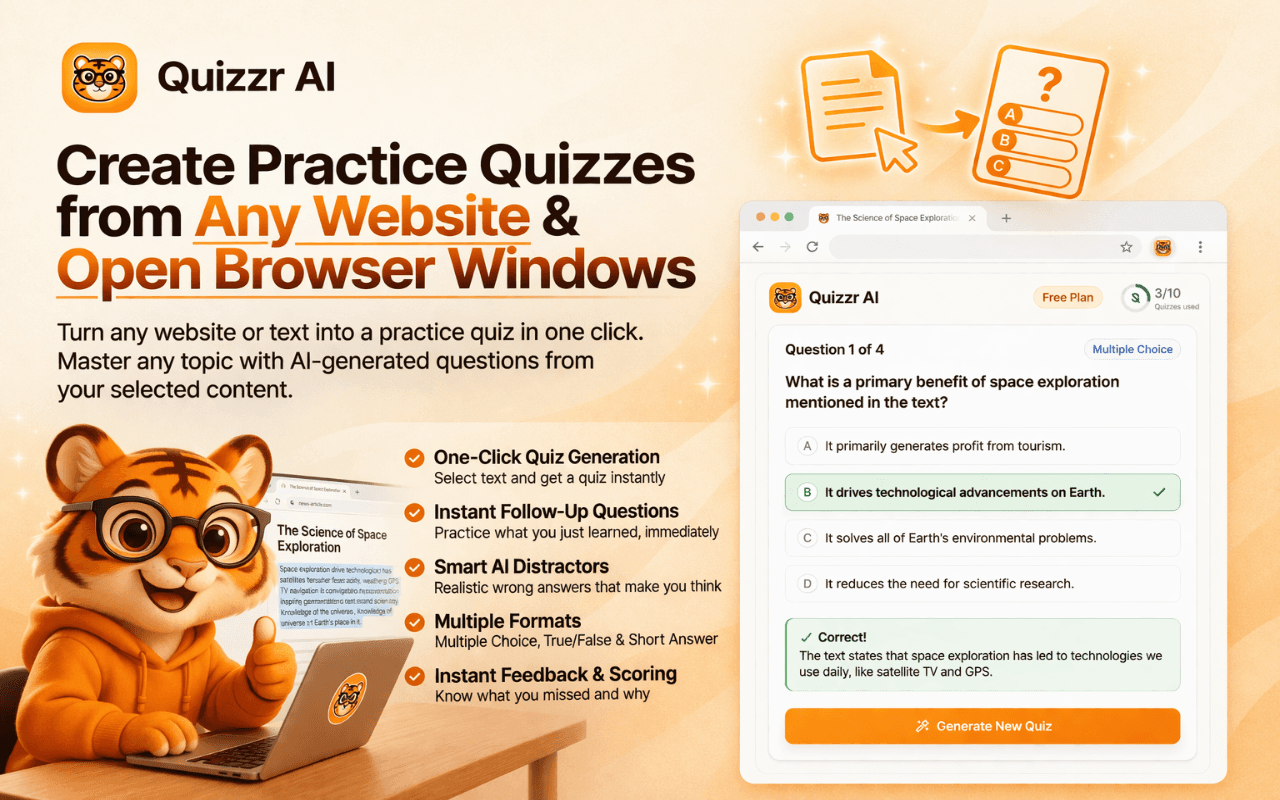
Yes. Quizzr AI is designed to generate quiz questions directly from text-based webpages.
All Toolr Extensions
Move between Toolr extensions for shopping, language learning, studying, LinkedIn writing, and summarizing without losing the thread.

Quizzr AI is worth trying if you need turn webpages, pdfs, and transcripts into practice quizzes instantly. The main reason is simple: it moves that task into Chrome itself instead of sending you into a separate tool.
Quizzr AI is strongest when the browser is already where the work happens. That makes the workflow feel faster and lighter than tools that ask you to switch tabs, paste text, or manage a separate dashboard.
The tradeoff is specialization. If you want a giant all-in-one platform, a broader competitor may offer more adjacent features. If you want the core job done inside Chrome with less friction, Quizzr AI is the stronger fit.
Browser extensions are best when they are used frequently enough to replace a repeating manual habit. If you only need this workflow once a month, the value will feel lower. If you do it daily, the time savings compound quickly.
Open the Chrome Web Store listing for Quizzr AI and click "Add to Chrome". Installation takes a few seconds.
Quizzr AI is designed to work inside your normal browsing flow, so the next step is simply visiting the relevant site or document.
Activate Quizzr AI from the Chrome toolbar or the page overlay and let it handle the task without forcing you into another app.
Take the suggested output, summary, comparison, or draft and continue your workflow without extra copy-paste.
Yes. Quizzr AI is designed to generate quiz questions directly from text-based webpages.
Yes. Quizzr AI can turn PDFs opened in Chrome into practice questions.
It can generate multiple-choice, true-false, and short-answer style prompts.
Yes. Quizzr AI offers a free starting tier with premium expansion for heavier use.
The questions are grounded in the source material on the page, so quality depends on the quality of the underlying content.
Keep exploring
Find more Toolr guides, comparisons, workflows, and practical answers related to this topic.
Quizzr AI is available in the Chrome Web Store and starts working inside your normal browsing workflow in seconds.
Add Quizzr AI to Chrome